Organization Chart
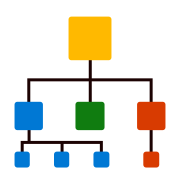
Use this chart to demonstrate hierarchy within an organization or functional area
Visual at a glance
- Category
- Flow
- Certification
- Power BI Certified
- Best used for
- Use this chart to demonstrate hierarchy within an organization or functional area
About Organization Chart
Organization Chart by MAQ Software displays relationships between different entities. Users can visually display hierarchical information in a top-down structured tree format along with images.
Key benefits
- Includes an optional image column to show images
- Modify the look of the connector links
- Color the cards based on a Legend column
- Ability to customize the card dimension, border, and corner radius
- Interactivity with the cards to expand/collapse levels and cross-filter other visuals
- Font formatting for labels and sub labels
- Ability to zoom and drag the position of the visual
- Configurable legend position and formatting
- Support for context menu
Use cases
- Sales: Display sales structure along with territory responsibilities, actual sales, and progress with targets
- Marketing: Display various marketing campaigns along with KPIs information to measure the impact of campaigns, tactics, and activities
- Organization: Structure human resources according to respective departments and hierarchy
- IT: Display organizational IT assets, showing various asset categories, and their availability volumes, broken down into specific assets
- Operations: Display a manufacturing process, with a breakdown of the components or ingredients to produce the product, along with their respective quantities in a hierarchical format
- Finance: Display budget allocation by divisions or projects, breaking them down into subdivisions or sub-projects
What's new
- Added Bookmark support for improved report navigation.
- Added Report Tooltip support for enhanced data exploration.
- Introduced additional color palette customization options.
- Added font formatting support for legend text, including bold and italic styles.
- Fixed cross-filtering behavior when interacting with bookmarks.
- Resolved overlapping issues affecting visual rendering.
Feature walkthrough
Contact Us. Thank you for using Organization Chart by MAQ Software. Have questions about this or any of our other Power BI custom visuals? For issues, contact Support@MAQSoftware.com. For priority requests or custom builds, contact CustomerSuccess@MAQSoftware.com.
FAQs
What is the Organization Chart visual used for?
The Organization Chart visual displays hierarchical relationships between entities in a structured top-down tree format.
What data fields are required?
The visual requires hierarchy data such as Parent and Child relationships. Additional fields can be used for labels, sublabels, KPIs, and images.
Does the visual support images?
Yes. The visual supports displaying images for entities within the hierarchy.
Can I customize the appearance of the cards?
Yes. You can customize card dimensions, borders, corner radius, colors, labels, and sublabels.
Can users expand and collapse hierarchy levels?
Yes. Users can interact with cards to expand or collapse levels.
Does the visual support cross-filtering?
Yes. Selecting nodes can cross-filter other visuals in the report.
Can I zoom and navigate large hierarchies?
Yes. The visual supports zooming as well as click-and-drag navigation.
Can I customize the connector lines?
Yes. Connector links and their formatting can be configured.
Which business scenarios is this visual best suited for?
Organization structures, sales hierarchies, marketing campaigns, IT asset hierarchies, manufacturing processes, and budget allocation analysis.
Can I customize the legend?
Yes. The legend position and formatting can be configured.
Can I try the Organization Chart before purchasing?
Yes. Trial and evaluation options are available.
Can I get an estimate or quote?
Contact customersuccess@maqsoftware.com for pricing information.
Is Organization Chart certified by Microsoft?
Yes. The visual complies with Microsoft Power BI custom visual requirements.
Where can I report issues or request new features?
Contact customersuccess@maqsoftware.com .