Visual at a glance
- Category
- Utility
- Certification
- Power BI Certified
- Best used for
- View key events on your Power BI report in a calendar view | Power BI certified
About Calendar
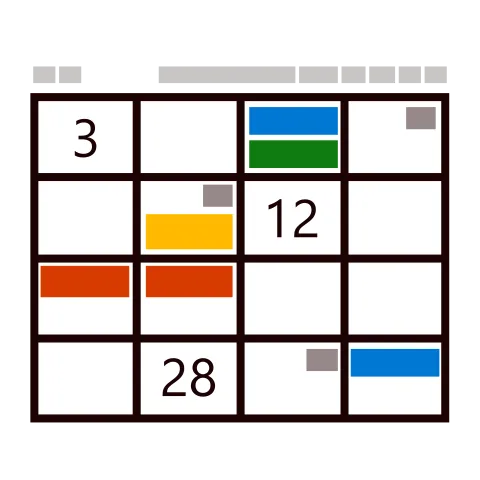
Calendar by MAQ Software is the most effective way to track events in Power BI. Schedule events for specific days, then use them as a reference while reviewing your report.
Key benefits
- Ability to group events based on category
- Multiple views available—Month, Week, Day, and List
- Ability to navigate to event details with a click
- Ability to set workdays and hours
Use cases
- Project managers: Monitor project schedules and key deadlines
- Sales and marketing: Keep track of key dates in your sales and marketing campaigns
- Human resources: Manage your organization's events, vacation schedule, and year-end reviews
What's new
- Resolve the event color issue
- Resolve the localization error
- Resolve the drill through event
- Resolve the initial message issue during visual rendering
- Resolve the duplicate data color issue
- Resolve the Today persistence issue
- Add dynamic cell color configuration option
- Add weekend toggle configuration to show/hide weekends
Feature walkthrough
Contact Us. Thank you for using Calendar by MAQ Software. Have questions about this or any of our other Power BI custom visuals? For issues, contact Support@MAQSoftware.com. For priority requests or custom builds, contact CustomerSuccess@MAQSoftware.com.
FAQs
What is the Calendar visual used for?
The Calendar visual allows users to display and manage events directly within Power BI using an interactive calendar interface.
What data fields are required?
The visual requires event dates and event names. Additional fields such as category, URL and tooltips can also be used.
What calendar views are available?
Month, Week, Day, List, Year, Semester and Quarter views are available.
Can I group events by category?
Yes. Events can be grouped based on categories.
Can users navigate to event details?
Yes. The visual supports URL navigation.
Can I customize working days and hours?
Yes.
Does the visual support multiple event selection?
Yes.
Which business scenarios is this visual best suited for?
Project schedules, marketing campaigns, vacation tracking and release management.
Is the Calendar visual responsive?
Yes.
Can I try the Calendar Visual before I buy it?
Yes.
Can I get an estimate or quote?
Contact customersuccess@maqsoftware.com.
Is Calendar certified by Microsoft?
Yes.
Where can I report issues or request new features?
Contact customersuccess@maqsoftware.com.
What are the latest enhancements?
Year/Semester/Quarter views, hide time option and multi-select support.